[Avg. reading time: 15 minutes]
Computing Types
Modern software systems use different computing approaches depending on where computation happens, how systems are structured, and when decisions are made.
There is no single “best” computing model. Each type exists to solve a specific class of problems related to scale, latency, reliability, cost, and complexity.
As systems evolved from single machines to globally distributed platforms and IoT systems, computing models also evolved:
- From centralized to distributed
- From monolithic to microservices
- From cloud-only to edge and fog
- From reactive to proactive
Understanding these computing types helps you:
- Choose the right architecture for a problem
- Understand why IoT systems cannot rely on cloud alone
- See how modern data and IoT platforms fit together
Centralized Computing
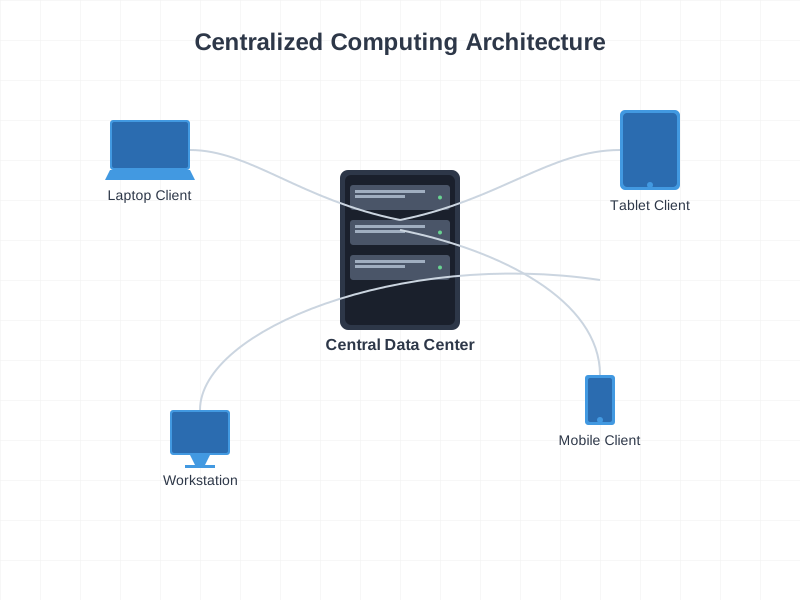
Centralized Computing
Single computer or location handles all processing and storage. All resources and decisions are managed from one central point.
Characteristics
- Single point of control
- Centralized decision making
- Consistent data
- Simpler security
- Easier maintenance
Examples
- Traditional banking systems
- Library systems
- School management systems
Typical setup
- Central server or mainframe
- All branches connect to HQ
- Single database
- Centralized processing
- One place for updates
Major drawback
- Single point of failure
Distributed Computing
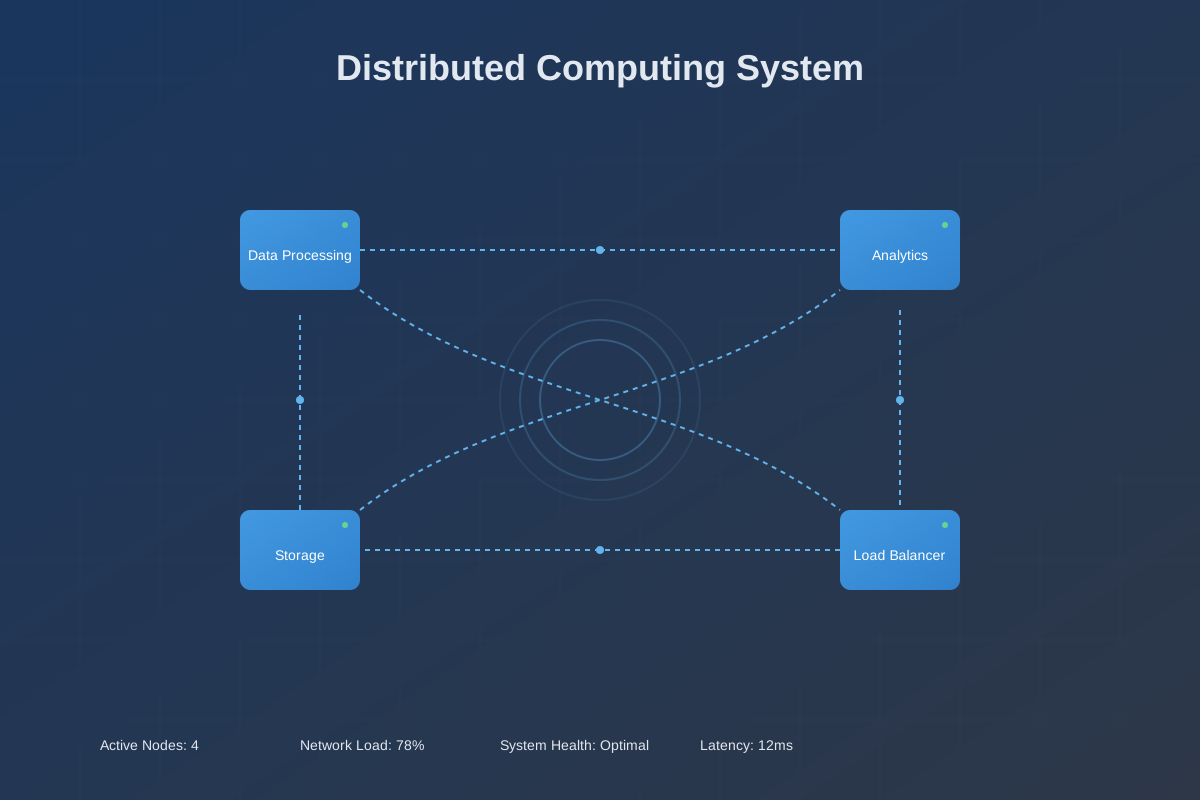
Multiple computers work together as one logical system. Processing, storage, and management are spread across multiple machines or locations.
Characteristics
- Shared resources
- Fault tolerance
- High availability
- Horizontal scalability
- Load balancing
Example
- Google Search
- Multiple data centers
- Distributed query processing
- Replication and redundancy
Monolithic
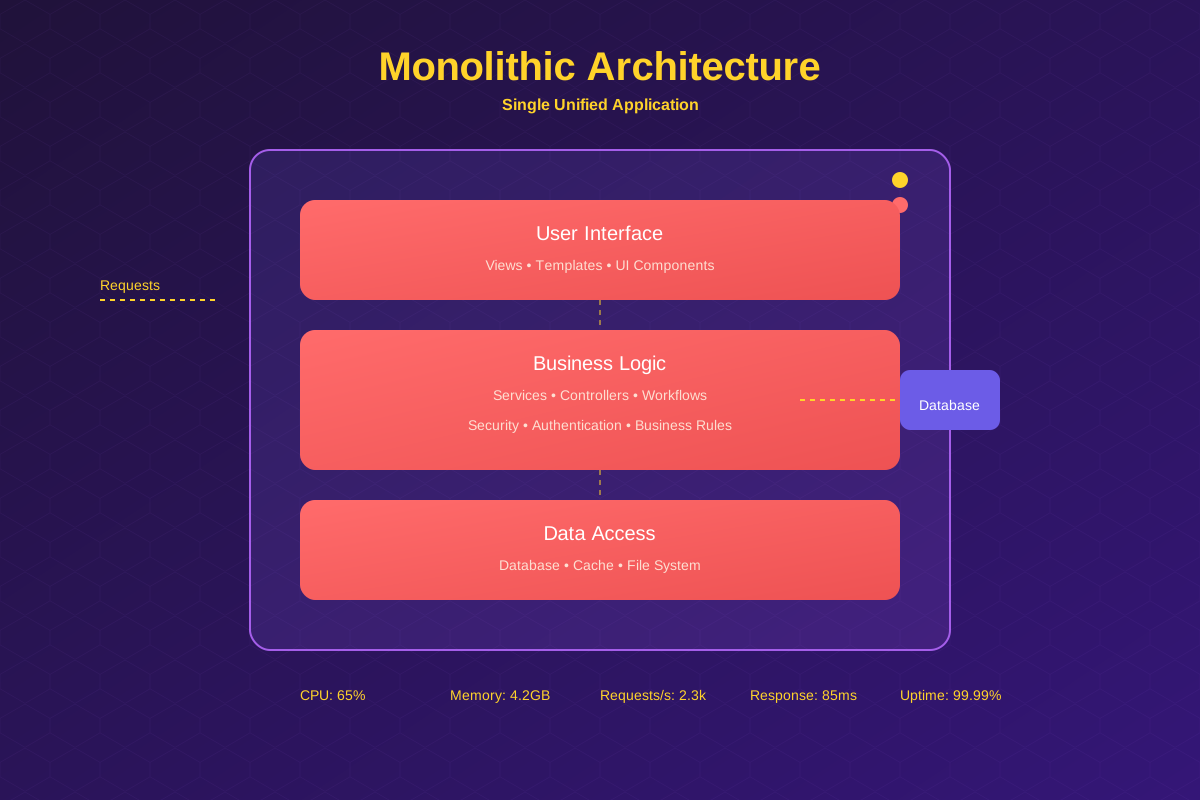
Single application where all functionality is packaged into one codebase.
Characteristics
- One deployment unit
- Shared database
- Tightly coupled components
- Single technology stack
- All-or-nothing scaling
Advantages
- Simple to build
- Easy to deploy
- Good performance
- Lower initial cost
Disadvantages
- Hard to scale selectively
- Technology lock-in
Examples
- WordPress
- Early-stage applications (many start monolithic)
Microservices
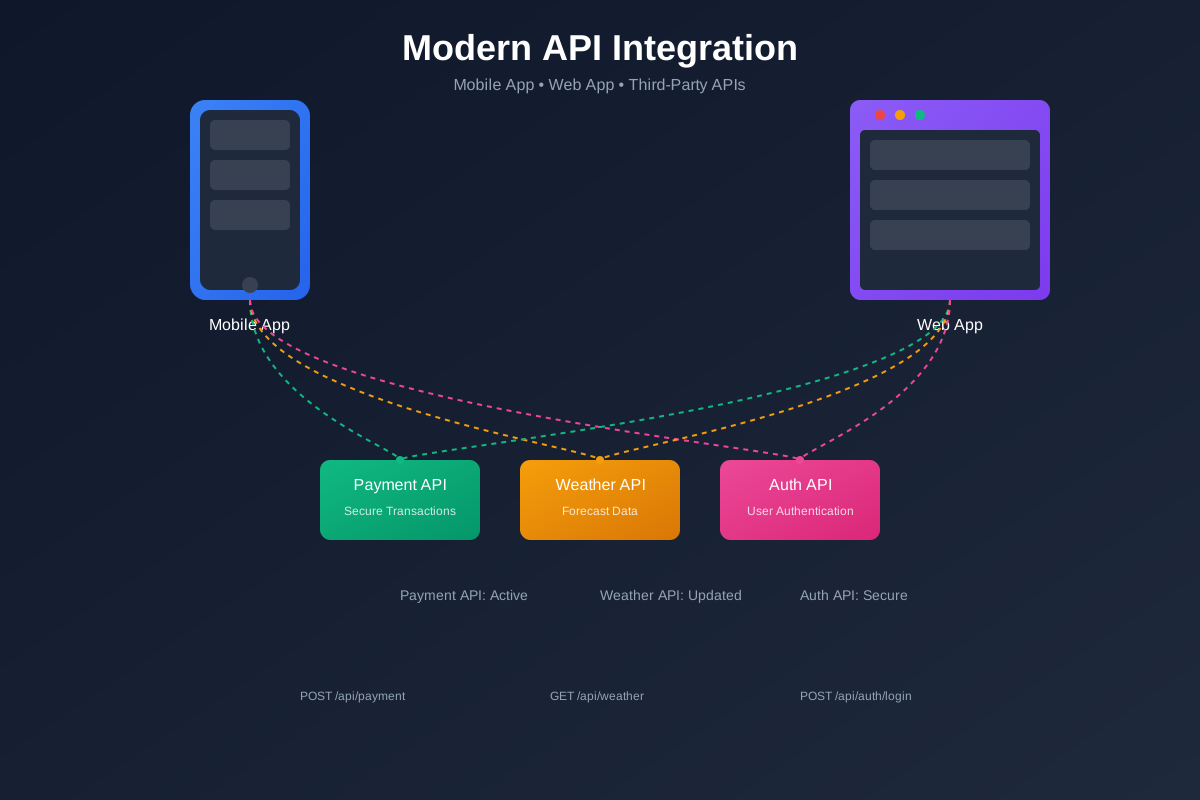
Application built as independent, small services that communicate via APIs.
Characteristics
- Independent services
- Separate databases (often)
- Loosely coupled
- Different tech stacks possible
- Individual scaling
Advantages
- Scale only what is needed
- Team autonomy
- Technology flexibility
Disadvantages
- Operational overhead
- Higher complexity
- Latency and distributed failures
- Tooling sprawl if unmanaged
Cloud Computing
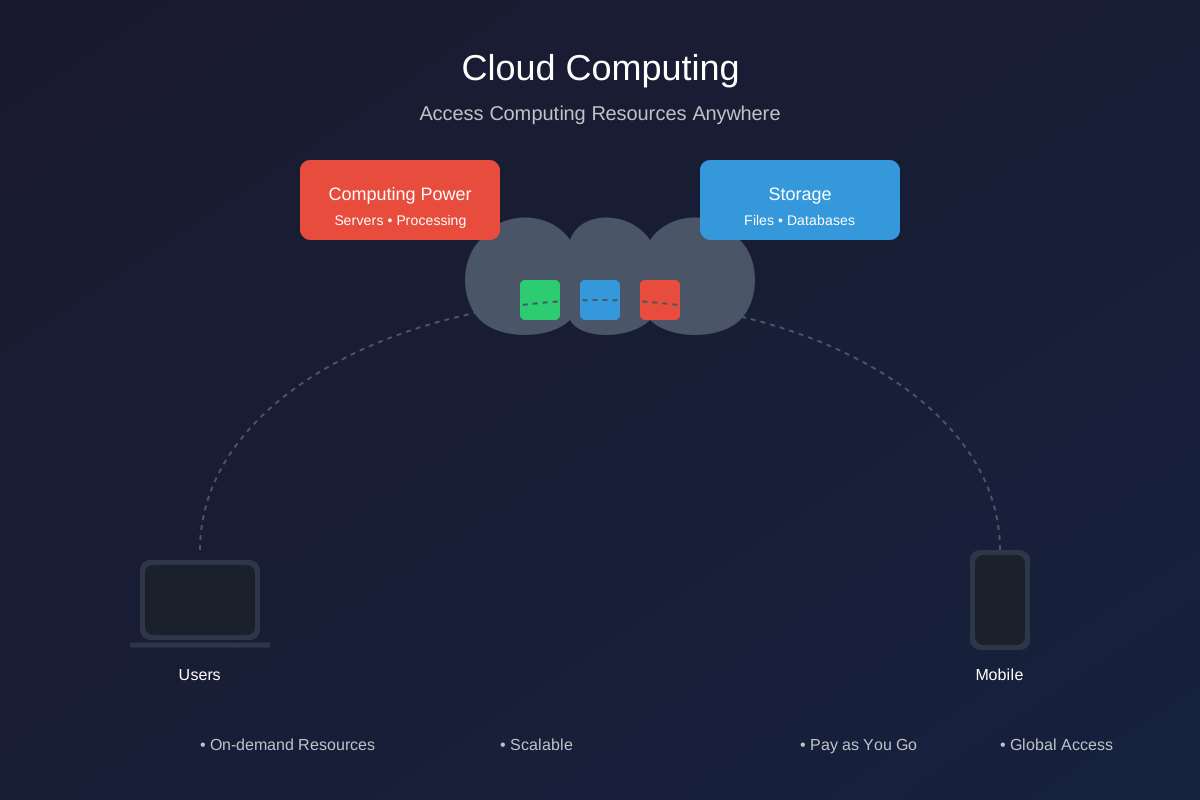
Cloud computing provides compute resources (servers, storage, databases, networking, software) over the internet with pay-as-you-go pricing.
Benefits
- Cost savings
- No upfront infrastructure
- Pay for usage
- Reduced maintenance
- Scalability
- Scale up or down on demand
- Handle traffic spikes
- Accessibility
- Access from anywhere
- Global reach
- Reliability
- Backups and disaster recovery
- Multi-region options
- Automatic updates
- Security patches
- Managed services reduce ops work
Examples
- Cloud storage
- OTT streaming platforms
Service Models
- SaaS (Software as a Service)
- Ready-to-use apps
- Examples: Gmail, Dropbox, Slack
- PaaS (Platform as a Service)
- App runtime and developer platforms
- Examples: Heroku, Google App Engine
- IaaS (Infrastructure as a Service)
- Compute, network, storage building blocks
- Examples: AWS EC2, Azure VMs
Edge Computing
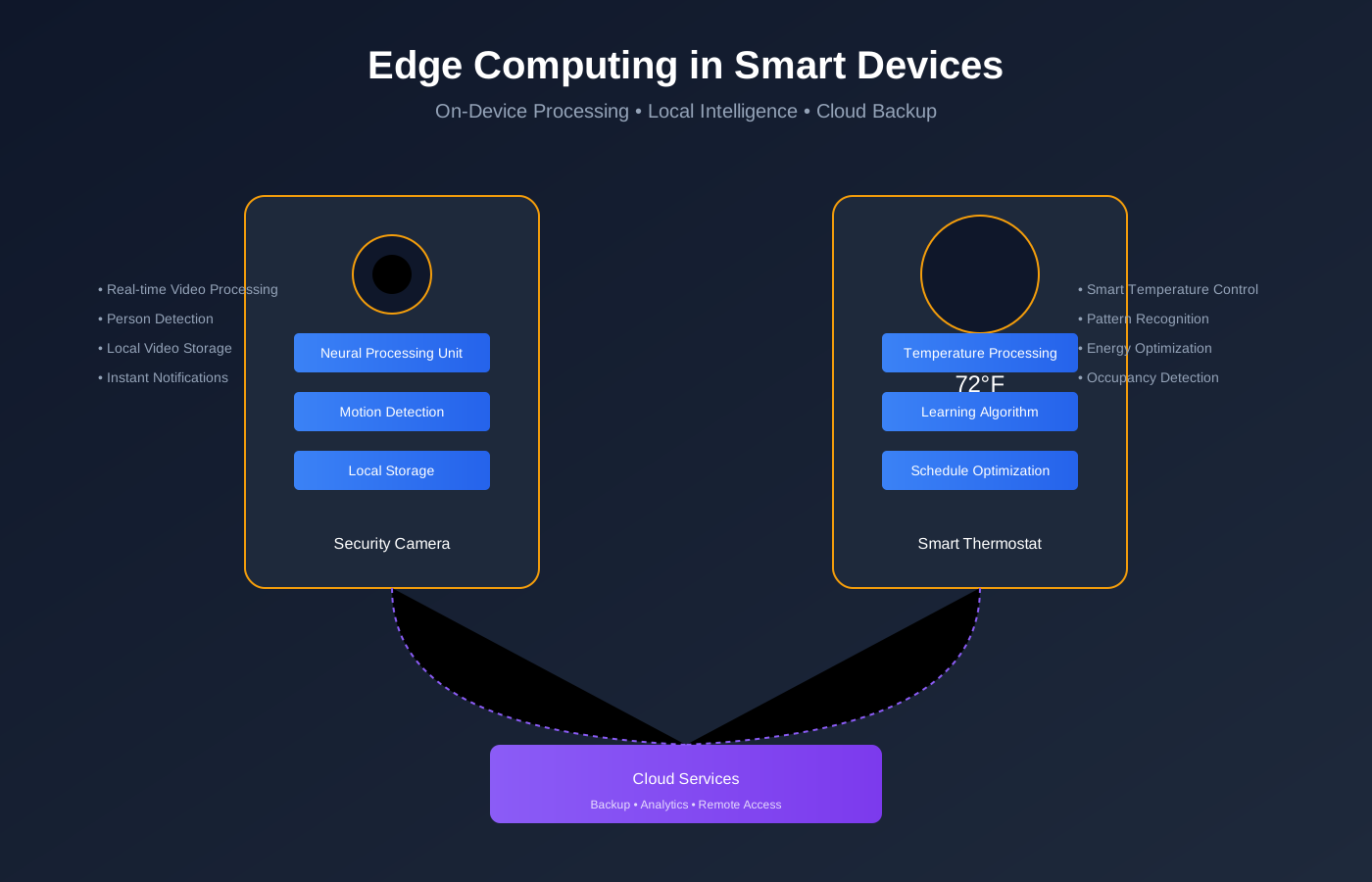
Edge computing moves computation and storage closer to where data is generated, near or on IoT devices.
Benefits
- Lower latency
- Works with limited internet
- Reduces bandwidth cost
- Better privacy (data stays local)
Simple examples
- Smart camera doing motion detection locally
- Smart thermostat adjusting temperature locally
- Factory robot making real-time decisions from sensors
Examples
- Smart Home Security
- Local video processing
- Only sends alerts or clips to cloud
- Tesla cars
- Local sensor fusion and obstacle detection
- Split-second decisions on device
Fog Computing
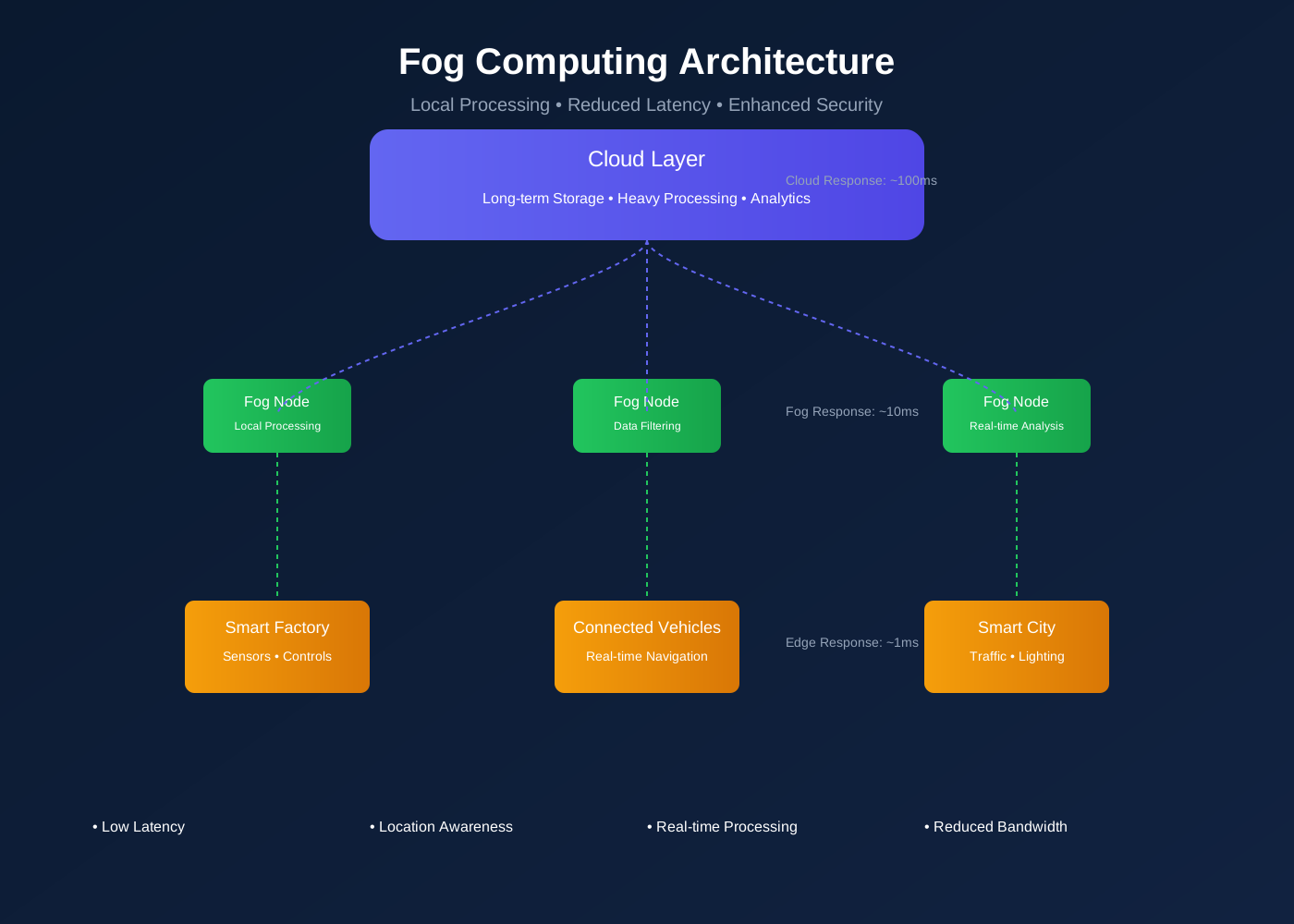
What it does
- Aggregates data from multiple edge devices
- Provides more compute than individual devices
- Filters and enriches data before sending to cloud
- Keeps latency lower than cloud-only systems
Examples
- Smart building local server processing many sensors
- Factory gateway analyzing multiple machines
- Farm gateway coordinating multiple sensors and controllers
Cloud vs Edge vs Fog
| Aspect | Cloud | Edge | Fog |
|---|---|---|---|
| Location | Central data centers | On/near device | Local network |
| Latency | High | Very low | Medium |
| Compute | Very high | Low | Medium |
| Storage | High | Very limited | Limited |
| Internet dependency | Required | Optional | Local network required |
| Data scope | Global | Single device | Multiple local devices |
| Typical use | Analytics, long-term storage | Real-time decisions | Aggregation, coordination |
| Example | AWS | Smart camera | Factory gateway |
Computing Evolution
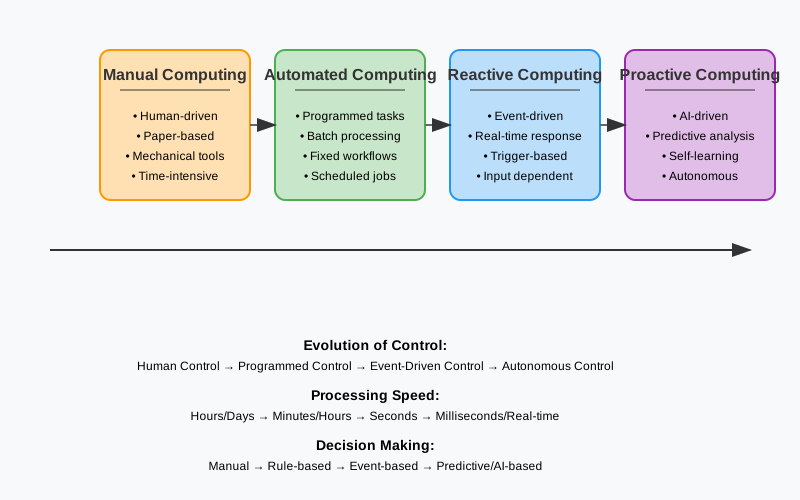
Manual Computing
Calculations and decisions performed by humans.
Drawbacks
- Slow
- Error-prone
- Not scalable
Automated Computing
Computers execute workflows with minimal human involvement.
- Faster processing
- Higher accuracy
- Efficient resource use
Reactive Computing
System responds after events happen.
Examples
- Incident response
- Support tickets
- After-the-fact troubleshooting
Proactive Computing
System predicts and acts before failures happen.
Examples
- Predictive maintenance
- Capacity planning
- Anomaly detection
Idea
- Prevention is better than cure
Remember the saying “Prevention is better than cure”